SAIA-SV001-WERv1.1.0-PV930 Release Notes
Author: Kevin Buca, Created: 2026-08-26
Release Date
Release Overview
Enhancements
Finance Analyst
-
Narrative Summarizer
- Finance Analyst can now read and summarize the commentary your team has written in OneStream, alongside the underlying financial data, rolling child account notes up into a concise parent narrative.
- Works across all five OneStream text-based view members: Annotation, VarianceExplanation, Assumptions, AuditComment, and Footnote.
- For best results, scope each summarization to a single parent rollup, and specify your desired materiality threshold, summary style, and commentary location.
- Available both as an ad hoc request in Finance Analyst chat and as a scheduled Analysis Plan, allowing users to automatically generate parent-level narratives every close cycle.
-
Cube Ingestion
- Performance enhancements added
Search
- Exporting Search answers now includes inline images
General
-
Improved agent token efficiency for large Finance Analyst reports and long context conversations.
-
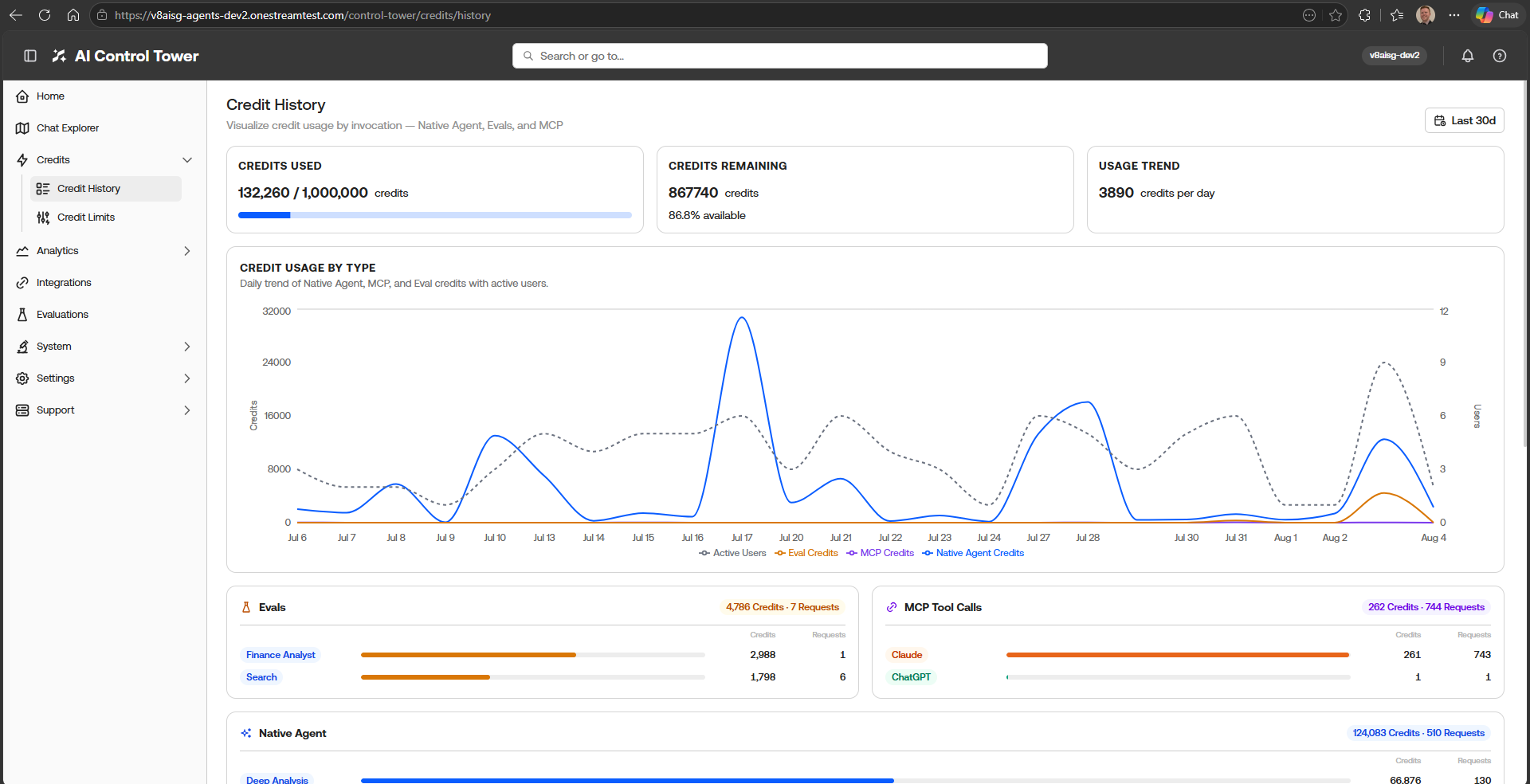
In-product evaluations AI Credit usage is now tracked and visible in the AI Control Tower
Bug Fixes
-
Deep Analysis comparison citations:
- corrected citation formatting in comparison output to use source-type-specific instructions (document vs. cluster references).
-
Cube deletion → persona cleanup
- deleting a cube now removes its references from persona settings; cleanup failures are logged rather than 500-ing an otherwise successful delete.
-
Member expansion service:
- hotfix to member expansion.
-
Invocations table labels:
- on the Credit History page in the AI Control Tower, the invocations table now properly categorizes MCP invocations as ‘MCP’ instead of ‘Native Agents’
-
Search Agent default clusters:
- Fixed issue in Search where users could not deselect a default cluster they no longer have access to or no longer exists
-
Search Agent “All Clusters” option:
- Restored the “All Clusters” option for the Search chat input and default clusters setting
Upgrade Guide
- Run upgrade in Control Tower → Upgrade Portal
- No ingestion needed
- No Marketplace app updates.
Compatibility Guide
- OS v9.3.0+